CX TUNE
Professional vocal tuning.
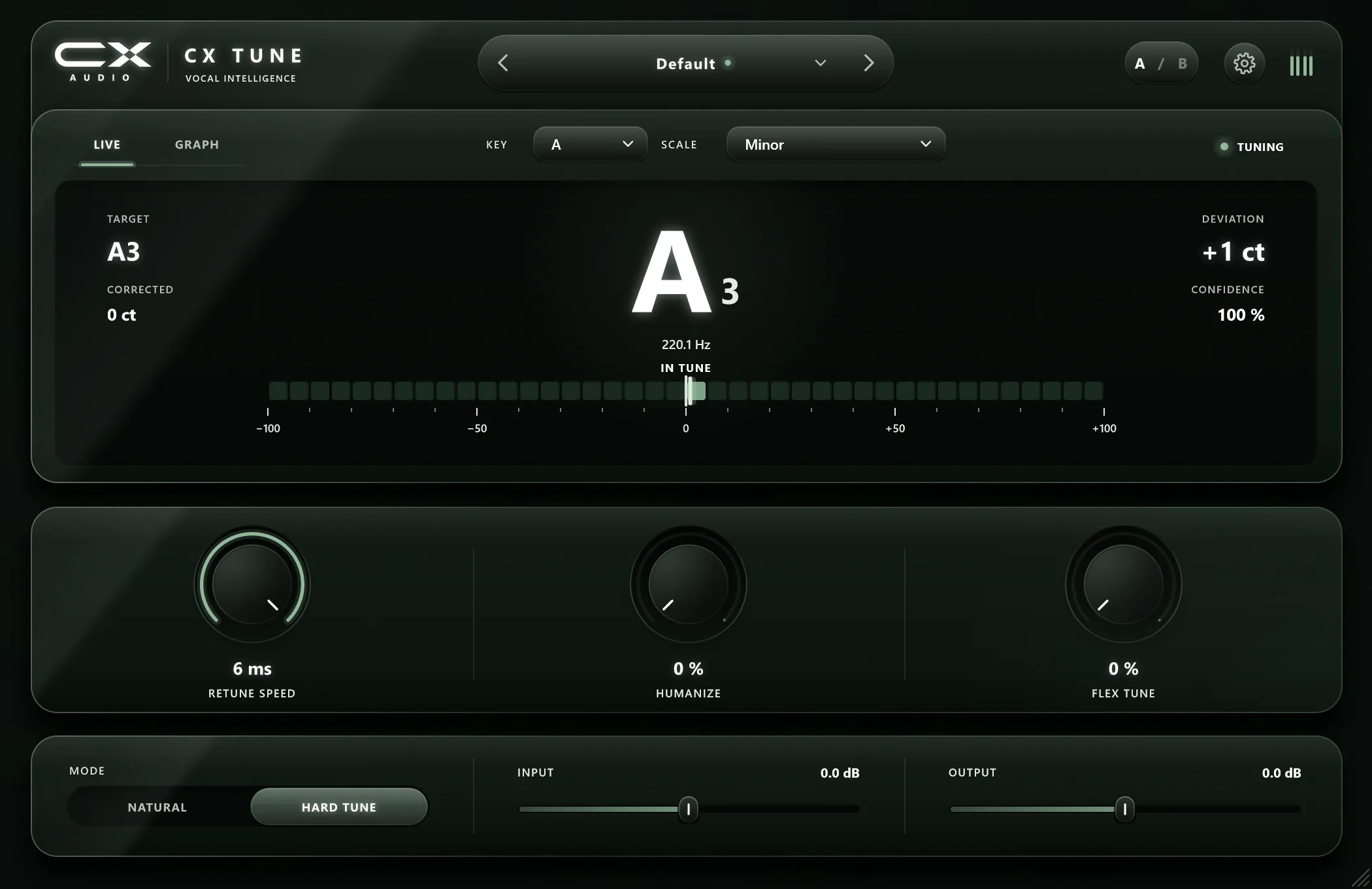
Put every note of a vocal on pitch in real time, from a natural touch to the hard, stepped sound. Every correction is visible on screen.
2characters
Natural for a gentle touch, Hard Tune for the stepped modern sound.
12keys
And 5 scales, so notes land only where your song allows.
0.45ms
Low Latency mode at 44.1 kHz: hear yourself tuned while you record.
3computers
One perpetual licence, no subscription, free updates.
Two characters
Natural or Hard Tune.
One switch.
A gentle correction that keeps the singer, or the instant stepped sound of modern rap and pop. Retune Speed, Humanize and Flex Tune shape both.
See every correction
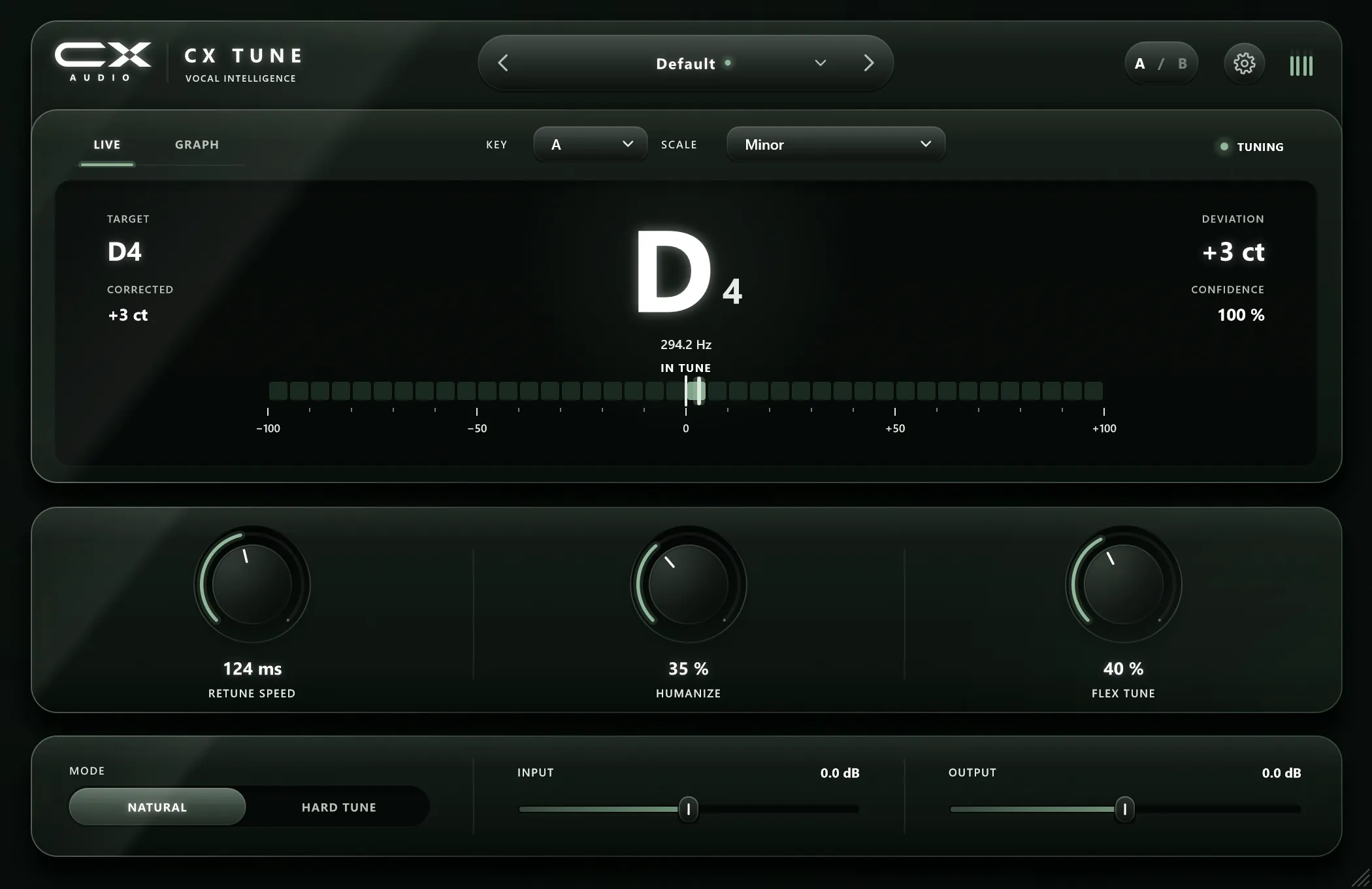
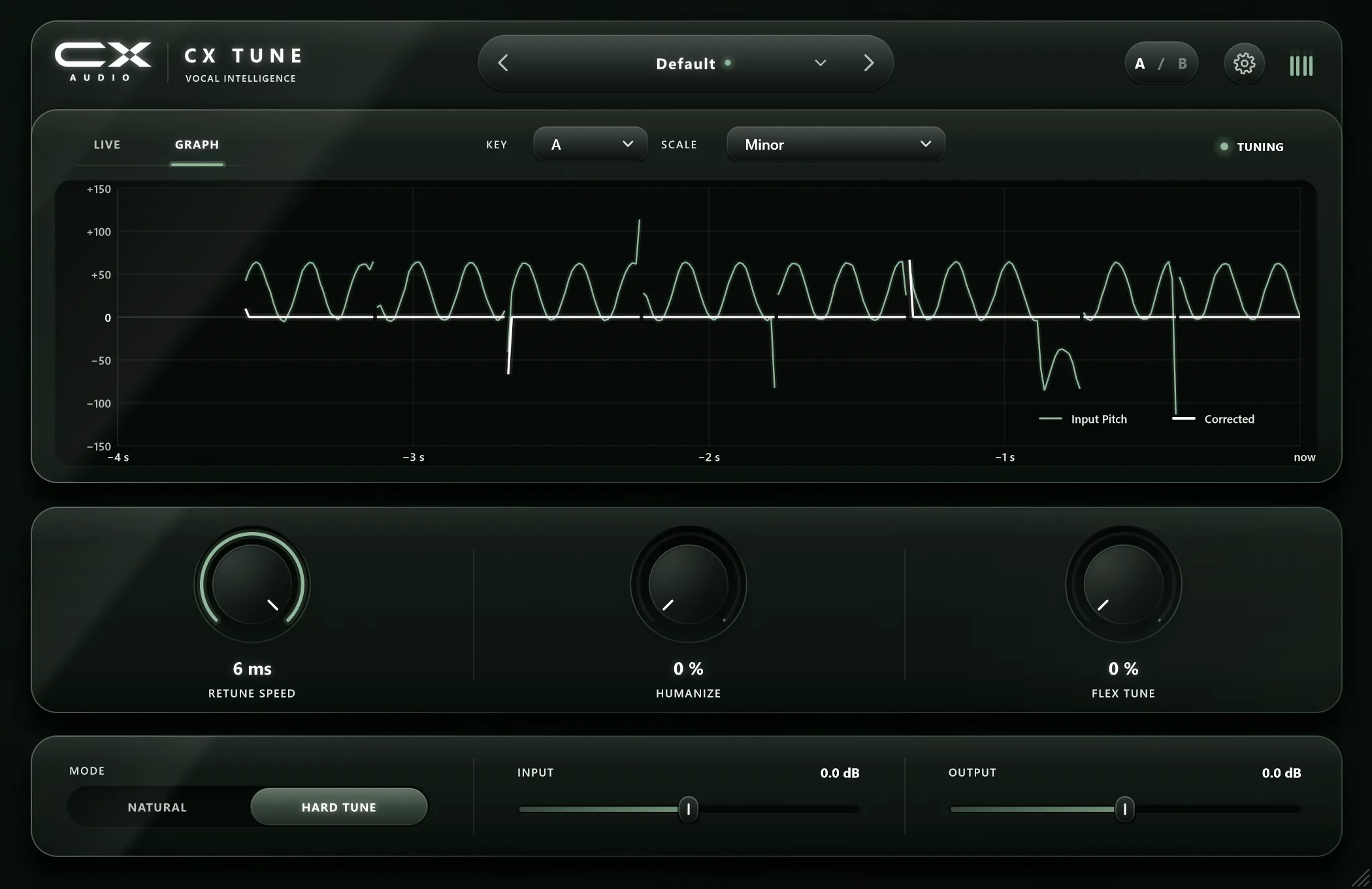
Watch your vocal land on pitch.
A live tuner shows note, cents and confidence. The graph shows four seconds of input against the corrected output.
Locks to your key
12 keys. 5 scales.
Notes only land where your song allows.
- C
- C#
- D
- D#
- E
- F
- F#
- G
- G#
- A
- A#
- B
- Chromatic
- Major
- Minor
- Harmonic Minor
- Melodic Minor
Start from a preset
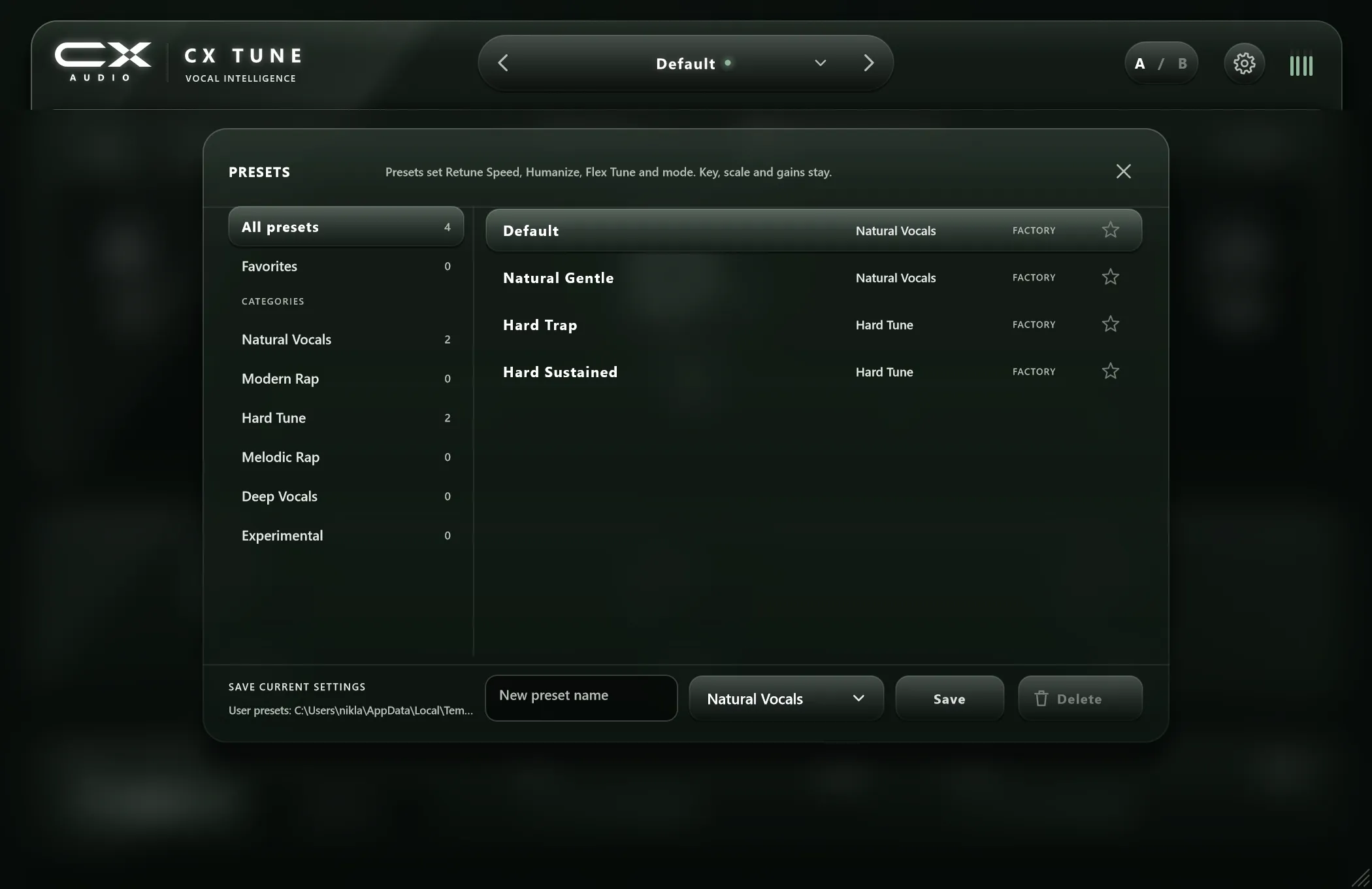
Factory presets. Your presets. A / B.
Presets for natural and hard-tuned vocals, your own on top, and A / B to compare.
Controls
Everything you need. Nothing you don't.
- Retune Speed
- Humanize
- Flex Tune
- Latency mode
- Input gain
- Output gain
Works in your DAW
Plug it into the DAW you already use.
A VST3 plugin for 64-bit Windows, plus a standalone app. Developed in FL Studio.
- FL Studio
- Ableton Live
- Cubase
- Studio One
- Bitwig Studio
- REAPER
- Cakewalk
Tested versions are listed on the compatibility page. Names are trademarks of their owners.
Try it
Every control is live.
The CX TUNE layout, rebuilt for the browser with a simulated singer. Turn the knobs, switch modes, change the key and open the presets. There is no sound.
Drag a knob up or down, scroll over it, or use the arrow keys. Double-click resets it. Click the preset name to browse.
Golden Founder cards · at launch
Five golden cards.
Every new plugin, free for a year.
To thank the first people who buy CX TUNE, five of the first 100 orders get a numbered gold card.
- Five cards, fixed ordersThe buyers of paid CX TUNE orders 1, 25, 50, 75 and 100 each get one card, № 1 to № 5. No draw, no luck: the order number decides.
- Every new plugin, free for a yearEach CX AUDIO plugin we release in the 12 months from your card’s issue date goes into your account for free, on release day.
- Sent to you by e-mailYour digital card arrives by e-mail within 24 hours of your order, from support@cryptxaudio.com.
Pricing
One price. Yours for good.
What you get
- CX TUNE for Windows (64-bit): VST3 plugin and standalone app
- Perpetual licence, no subscription
- Use on up to 3 of your computers
- Free updates, for good
- Online or offline activation, no dongle
Not available yet: macOS, Audio Unit (AU), AAX. CX TUNE tunes one voice at a time.
CX TUNE
CX TUNE is not on sale yet. Leave your e-mail and we tell you when it launches, with the free 14-day trial.
You own CX TUNE.
SpecificationsSystem requirements and technical details
- Formats
- VST3, Standalone
- Operating system
- Windows, 64-bit
- Primary host
- FL Studio
- Low Latency mode
- 20 samples: 0.45 ms at 44.1 kHz, 0.42 ms at 48 kHz. For singing through it while recording
- Standard mode
- 35.8 ms at 48 kHz, keeps formants. For mixing; delay compensation lines it up
- Modes
- Natural, Hard Tune
- Retune Speed
- Hard Tune down to 1 ms, values can be typed
- Keys
- 12, C to B
- Scales
- Chromatic, Major, Minor, Harmonic Minor, Melodic Minor
- Controls
- Retune Speed, Humanize, Flex Tune, Latency mode, Input and Output gain
- Displays
- Live note tuner and 4-second pitch graph
- Workflow
- Factory and user presets, A / B comparison
- Voice range
- About 65 Hz to 1050 Hz, one voice at a time
- Correction range
- Up to about ±3 semitones
- Interface
- Scales from 85 % to 200 %
- Not available yet
- macOS · Audio Unit (AU) · AAX (Pro Tools)
Questions before you buy.
Which DAWs does CX TUNE work in?
CX TUNE is a VST3 plugin for 64-bit Windows, developed and tested in FL Studio first. It should run in any VST3 host. On release we list each host we have tested, with its version, on the compatibility page.
Can I record through it while singing?
Yes. Switch to Low Latency mode: it adds only 20 samples (0.45 ms at 44.1 kHz), so you can hear yourself tuned while you record. A corrected note can arrive up to one pitch period later, a few milliseconds. For mixing, switch back to Standard mode (35.8 ms, lined up by your DAW's delay compensation): it keeps the voice's formants exactly.
What is the difference between Natural and Hard Tune?
Hard Tune pulls each note onto pitch quickly for the stepped, obvious effect used in modern rap and pop. Natural corrects more gently and leaves small movements alone, so the voice still sounds like a person. Retune Speed, Humanize and Flex Tune shape both.
Is there a Mac version or an AU plugin?
Not yet. CX TUNE runs on 64-bit Windows as a VST3 plugin and a standalone app. Join the newsletter and we will tell you if that changes.
How does the licence work?
One purchase is a perpetual licence for up to 3 of your own machines, with free updates. You can move a licence by deactivating a machine in your account. Activation also works offline. See Activation.
Is there a trial?
Yes, 14 days with every feature and nothing added to your audio. Click Try free for 14 days to download CX TUNE, install it, open it in your DAW and click Start 14-day trial. No account and no card needed.
Installation, activation and troubleshooting are in Support.